> For the complete documentation index, see [llms.txt](https://docs.acestudio.ai/llms.txt). Markdown versions of documentation pages are available by appending `.md` to page URLs; this page is available as [Markdown](https://docs.acestudio.ai/docs/product-wiki-zh/ai-gong-ju/inspire-me.md).
# Inspire Me
## 什么是 Inspire Me
该 **Inspire Me** 是一款强大的 AI 工具,可根据您的文字描述或歌词创作音乐轨道。
## 如何使用 Inspire Me
**Inspire Me** 可在 **更多工具** 工具栏中的该区域。
### 从创意生成
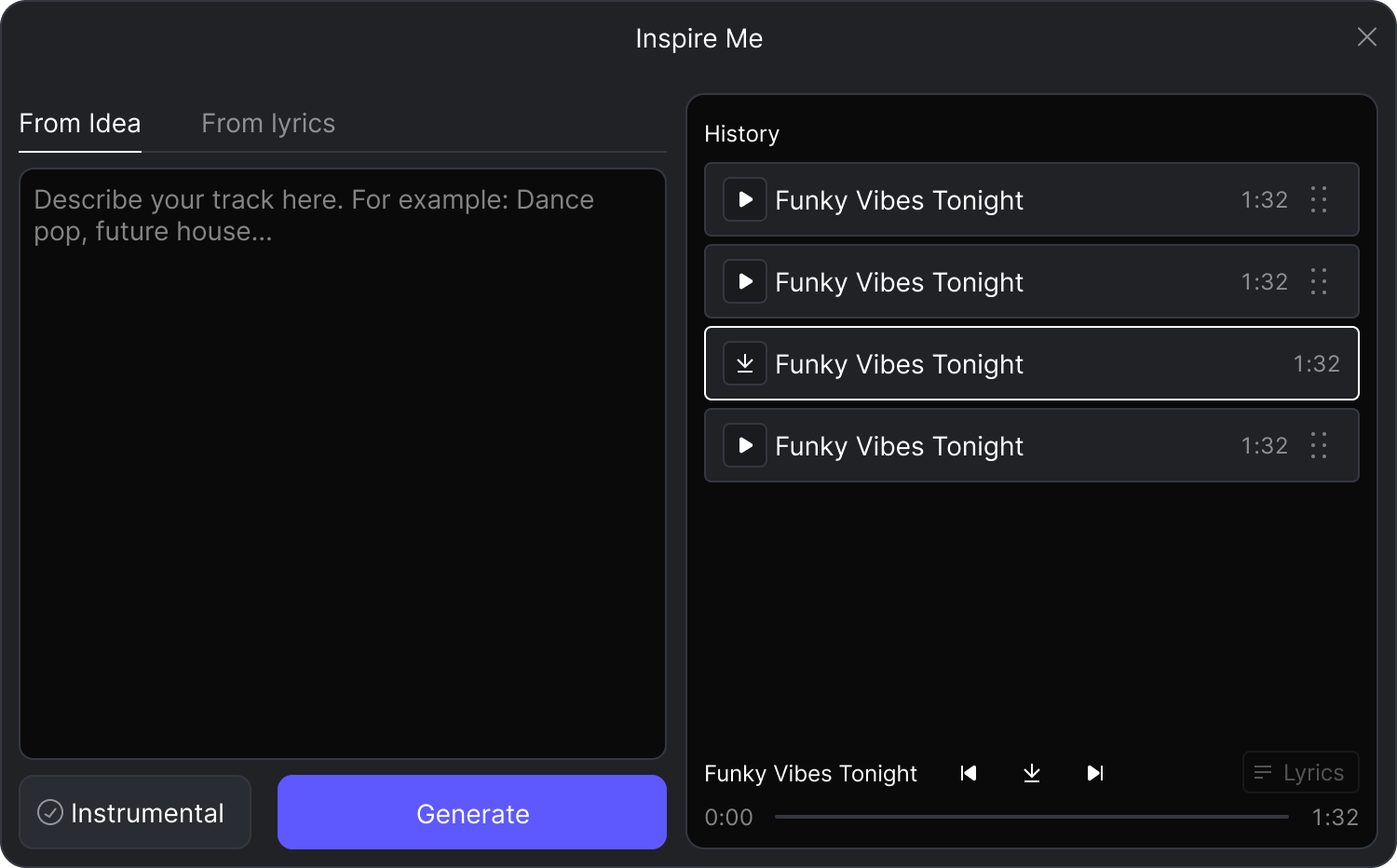
若要根据情绪、风格或概念创建音乐,请选择 **从创意** 选项卡。
1. 在描述框中,输入用于描述您设想的轨道的提示词,例如:“充满活力的舞曲流行,带有复古 80 年代合成器氛围”。\
如果您想创建一首没有歌声的轨道,请勾选 **纯器乐** 复选框。
2. 单击 生成 以开始创建过程。
### 从歌词生成
如果您已经有歌词,并想将其转换为歌曲,请切换到 **从歌词** 选项卡。
1. 将歌词粘贴或输入到“歌词”字段中。然后,在“风格 / 标签”字段中,描述您希望歌曲呈现的音乐风格,例如“acoustic folk ballad”或“高力度 future house”。
2. 单击 生成 以开始创建过程。
### 管理您生成的轨道
您生成的所有轨道都会保存在您的账户下。您可以在历史面板中查看它们。
* **下载**:完成后,轨道即可使用。只需点击下载按钮,即可将音频提供给使用。
* **预览**:您可以单击 :play: 按钮快速试听,并查看用于创建它的详细信息。
* **添加到画布**:只需将轨道直接拖到您的画布上。
---
# Agent Instructions
This documentation is published with GitBook. GitBook is the documentation platform designed so that both humans and AI agents can read, navigate, and reason over technical content effectively. Learn more at gitbook.com.
## Querying This Documentation
If you need additional information that is not directly available in this page, you can query the documentation dynamically by asking a question.
Perform an HTTP GET request on the current page URL with the `ask` query parameter, and the optional `goal` query parameter:
```
GET https://docs.acestudio.ai/docs/product-wiki-zh/ai-gong-ju/inspire-me.md?ask=&goal=
```
`ask` is the immediate question: it should be specific, self-contained, and written in natural language.
`goal` is optional and describes the broader end goal you are ultimately trying to accomplish on behalf of the user. GitBook uses it to tailor the answer towards what is most useful for that goal.
The response will contain a direct answer to the question and relevant excerpts and sources from the documentation.
Use this mechanism when the answer is not explicitly present in the current page, you need clarification or additional context, or you want to retrieve related documentation sections.