> For the complete documentation index, see [llms.txt](https://docs.acestudio.ai/llms.txt). Markdown versions of documentation pages are available by appending `.md` to page URLs; this page is available as [Markdown](https://docs.acestudio.ai/docs/product-wiki-ja/purojekuto/arrangement-in-canvas/clips/clip-editor.md).
# クリップエディター
クリップエディターで各クリップのコンテンツを編集します。
クリップをダブルクリックして、クリップエディターを開きます。
## ピアノロール
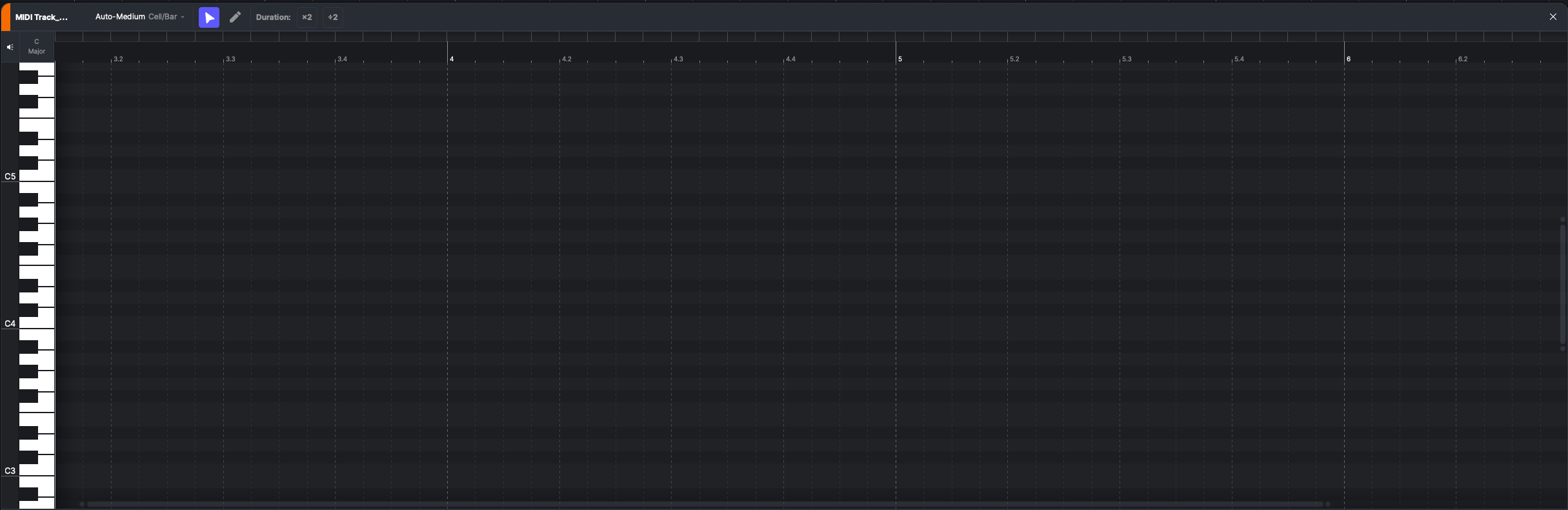
マーカーラインがMIDIクリップ上にあると、クリップエディターにはそのクリップのピアノロールが表示されます。
ピアノロール編集については **ボーカルクリップ**、こちらを参照してください [ノートの編集](/docs/product-wiki-ja/aibkarushinse/creating-ai-vocals/editing-notes.md).
ピアノロール編集については **楽器クリップ**、こちらを参照してください [ノートの編集](/docs/product-wiki-ja/le-qi/create-instrument-sounds/editing-notes.md).
あるトラック上のクリップについては **楽器トラック** サードパーティ製プラグインを搭載している場合、ピアノロールには標準のMIDI編集が表示され、 **ベロシティ** および **MIDI CC** レーンがノート下に表示され、AIパラメータは表示されません。詳しくは [サードパーティ製楽器](/docs/product-wiki-ja/le-qi/third-party-instruments.md).
## オーディオエディター
マーカーラインがオーディオクリップ上にあると、クリップエディターにはそのクリップのオーディオエディターが表示されます。
ルーラー上のフラッグマーカーはクリップの開始と終了を示します。ドラッグしてクリップをトリムします。
* **ゲイン** – ドラッグしてクリップの音量を調整します。
* **ピッチ** – クリップのピッチをセミトーン単位で変更します。フォーマントは変わりません。
* **フォーマント** – ピッチを変えずにフォーマントを変更します。
* **ノーマライズ** – クリップのピークが-3 dBに達するよう、ゲインを一度だけ調整します。
* **リバース** – クリップ全体を逆再生します。ワープマーカー、フェード、選択範囲、トリム範囲もオーディオとともに反転します。タイムライン上のクリップの位置とBPM値はそのままです。
* **ワープ** – ワープマーカーでクリップをタイムストレッチするか、プロジェクトのテンポに合わせます。詳しくは [オーディオワープ](/docs/product-wiki-ja/purojekuto/arrangement-in-canvas/clips/audio-warp.md).
* **AIツール**
* **ボーカルからMIDIへ** – このオーディオを、ノートに歌詞を持つMIDIクリップに変換します。詳細は [ボーカルからMIDIへ](/docs/product-wiki-ja/aitsru/vocal-to-midi.md).
* **ステムスプリッター** – このオーディオをステムに分割します。これは次のツールと同じです: [ステムスプリッター](/docs/product-wiki-ja/aitsru/stem-splitter.md).
* **テンポを解析** – オーディオエディター下部にあります。このオーディオのBPMを検出し、ここに次のように表示します: **解析済みBPM** およびクリップ右上に表示されます。1分以上のオーディオでは、クリップ追加時にBPMが自動検出されます。この値は参照用で、再生には影響しません。手動で編集するか、クリアできます。
#### 表示をズームして移動
* タイムルーラーを水平方向にドラッグして表示を移動します。
* タイムルーラーを垂直方向にドラッグすると、水平方向にズームできます。さらに、次を押しながら Ctrl/⌘Command マウスホイールをスクロールしてズームします。
* グリッド上をマウスの中ボタンでドラッグして表示を移動します。
---
# Agent Instructions
This documentation is published with GitBook. GitBook is the documentation platform designed so that both humans and AI agents can read, navigate, and reason over technical content effectively. Learn more at gitbook.com.
## Querying This Documentation
If you need additional information that is not directly available in this page, you can query the documentation by asking a question.
Perform an HTTP GET request on the following URL with the `ask` and `goal` query parameters:
```
GET https://docs.acestudio.ai/docs/product-wiki-ja/purojekuto/arrangement-in-canvas/clips/clip-editor.md?ask=&goal=
```
`ask` is the immediate question: it should be specific, self-contained, and written in natural language.
`goal` is what the user is ultimately trying to achieve, the reason they need the answer. Sharing it helps GitBook give you a better, more relevant answer. A goal is most helpful when it describes the outcome the user wants rather than restating the question. For example, with `ask=how do I create an API token`, a goal like `automate deployments from our CI pipeline` lets GitBook tailor the answer to that use case.
The response will contain a direct answer to the question and relevant excerpts and sources from the documentation.
Use this mechanism when the answer is not explicitly present in the current page, you need clarification or additional context, or you want to retrieve related documentation sections.