> For the complete documentation index, see [llms.txt](https://docs.acestudio.ai/llms.txt). Markdown versions of documentation pages are available by appending `.md` to page URLs; this page is available as [Markdown](https://docs.acestudio.ai/docs/product-wiki-ja/le-qi/create-instrument-sounds/expression-controls.md).
# 表現制御
ACE Studio AI楽器の表現制御を確認します。
## 表現制御とは
表現制御は、時間経過に沿ってオートメーションできるパラメータで、ニュアンスとリアリズムを加え、エフェクトを有効にする範囲を「描く」ことができます。
### 利用可能なコントロール
ビブラート
ビブラートとは、音符のピッチが微妙かつ高速に揺らぐ現象で、サウンドに温かみ、表情、豊かさを加えます。
トラックを選択一で分割トーン
トラックを選択一で分割トーンは、複数のピッチを同時に生成することで、粗さのある質感豊かなサウンドを生み出す高度なテクニックです。メロディに生々しくエッジの効いたキャラクターやテンション感を加えるのに最適です。
## 表現制御の編集
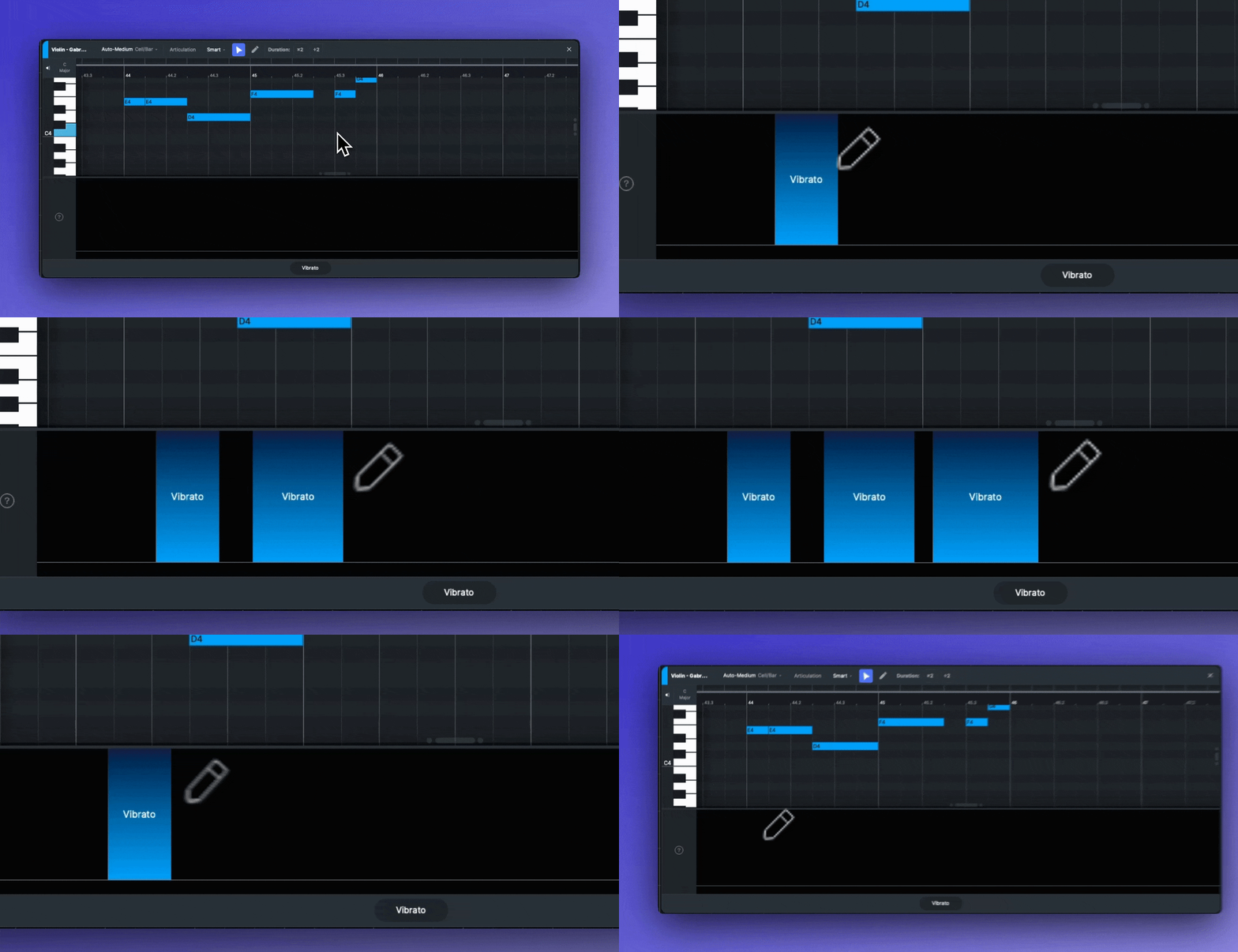
1. ピアノロールの下にある表現制御を選択します。
2. クリックしてドラッグし、アクティブにする領域を「ペイント」します。
3. 有効な領域の上を右クリックしてドラッグするだけで、消去できます。
---
# Agent Instructions
This documentation is published with GitBook. GitBook is the documentation platform designed so that both humans and AI agents can read, navigate, and reason over technical content effectively. Learn more at gitbook.com.
## Querying This Documentation
If you need additional information that is not directly available in this page, you can query the documentation by asking a question.
Perform an HTTP GET request on the following URL with the `ask` and `goal` query parameters:
```
GET https://docs.acestudio.ai/docs/product-wiki-ja/le-qi/create-instrument-sounds/expression-controls.md?ask=&goal=
```
`ask` is the immediate question: it should be specific, self-contained, and written in natural language.
`goal` is what the user is ultimately trying to achieve, the reason they need the answer. Sharing it helps GitBook give you a better, more relevant answer. A goal is most helpful when it describes the outcome the user wants rather than restating the question. For example, with `ask=how do I create an API token`, a goal like `automate deployments from our CI pipeline` lets GitBook tailor the answer to that use case.
The response will contain a direct answer to the question and relevant excerpts and sources from the documentation.
Use this mechanism when the answer is not explicitly present in the current page, you need clarification or additional context, or you want to retrieve related documentation sections.