> For the complete documentation index, see [llms.txt](https://docs.acestudio.ai/llms.txt). Markdown versions of documentation pages are available by appending `.md` to page URLs; this page is available as [Markdown](https://docs.acestudio.ai/docs/product-wiki-ja/aitsru/inspire-me.md).
# Inspire Me
## Inspire Me とは
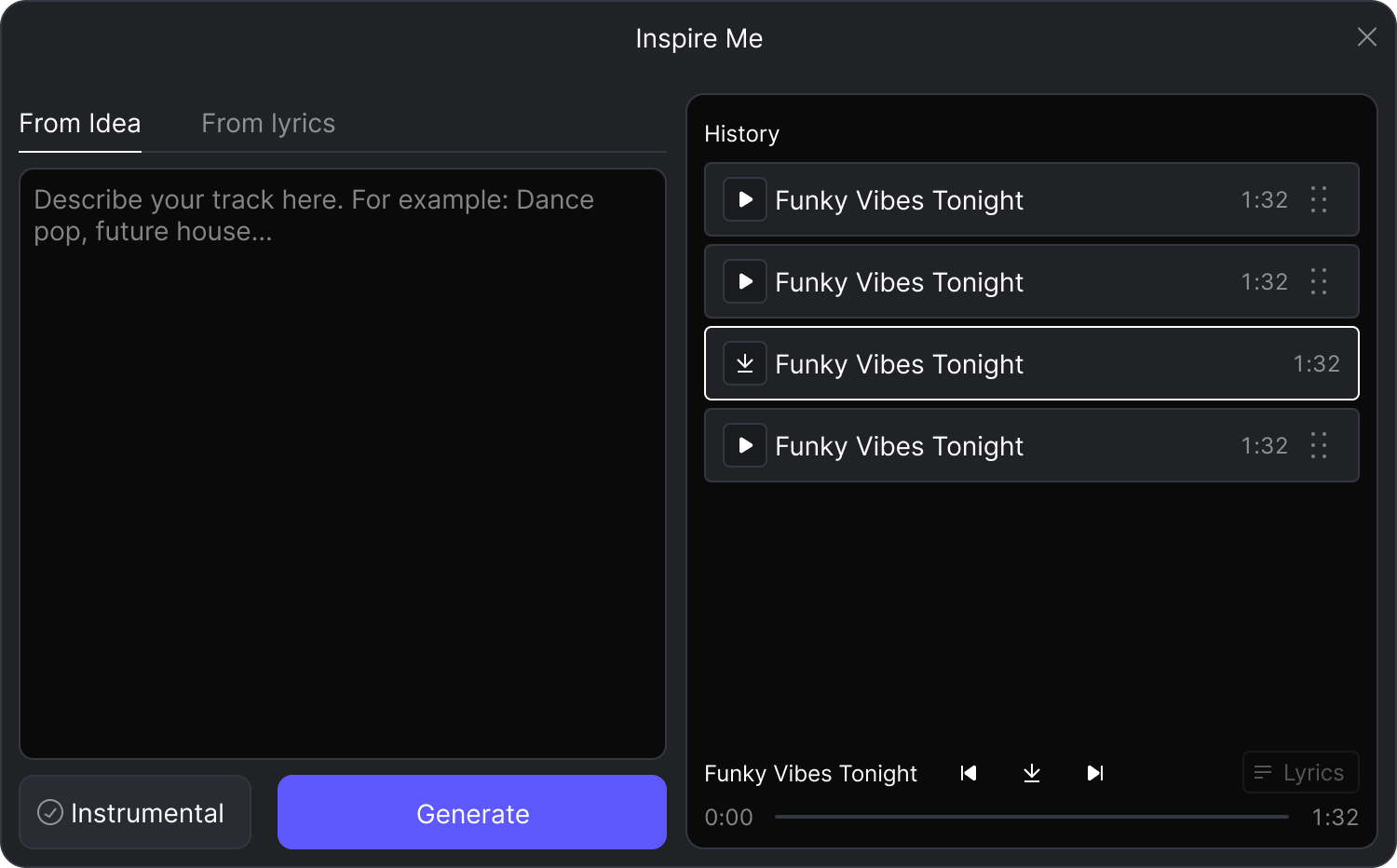
この **Inspire Me** は、テキストの説明や歌詞から音楽トラックを生成する強力なAIツールです。
## Inspire Me の使い方
**Inspire Me** は、以下の **その他のツール** ツールバー内のセクションです。
### アイデアから生成
ムード、ジャンル、またはコンセプトに基づいて音楽を作成するには、 **アイデアから** タブに切り替えます。
1. 説明欄に、思い描くトラックを説明するプロンプトを入力します。たとえば、「80年代のレトロなシンセ感のあるアップビートなダンスポップ」です。\
ボーカルのないトラックを作成したい場合は、 **インストゥルメンタル** ボックス。
2. クリック 生成 して、作成プロセスを開始します。
### 歌詞から生成
すでに歌詞があり、それを曲にしたい場合は、 **歌詞から** タブに切り替えます。
1. 「歌詞」フィールドに歌詞を貼り付けるか入力します。次に、「スタイル / タグ」フィールドで、曲に求める音楽スタイルを「アコースティックなフォークバラード」や「ハイエネルギーなフューチャーハウス」のように指定します。
2. クリック 生成 して、作成プロセスを開始します。
### 生成したトラックの管理
生成したトラックはすべてアカウントに保存されます。履歴パネルで確認できます。
* **ダウンロード**: 完了すると、トラックの準備が整います。ダウンロードボタンをクリックするだけで、オーディオを使用できるようになります。
* **プレビュー**: ちょっと試聴するには、 :play: ボタンをクリックして、作成に使用された詳細を表示できます。
* **キャンバスに追加**: トラックをそのままキャンバスへドラッグするだけです。
---
# Agent Instructions
This documentation is published with GitBook. GitBook is the documentation platform designed so that both humans and AI agents can read, navigate, and reason over technical content effectively. Learn more at gitbook.com.
## Querying This Documentation
If you need additional information that is not directly available in this page, you can query the documentation dynamically by asking a question.
Perform an HTTP GET request on the current page URL with the `ask` query parameter, and the optional `goal` query parameter:
```
GET https://docs.acestudio.ai/docs/product-wiki-ja/aitsru/inspire-me.md?ask=&goal=
```
`ask` is the immediate question: it should be specific, self-contained, and written in natural language.
`goal` is optional and describes the broader end goal you are ultimately trying to accomplish on behalf of the user. GitBook uses it to tailor the answer towards what is most useful for that goal.
The response will contain a direct answer to the question and relevant excerpts and sources from the documentation.
Use this mechanism when the answer is not explicitly present in the current page, you need clarification or additional context, or you want to retrieve related documentation sections.